Insight / signal
Why I'm done renting my AI
Cloud models still matter for the hard 20%, but most daily AI work should run on hardware you own.
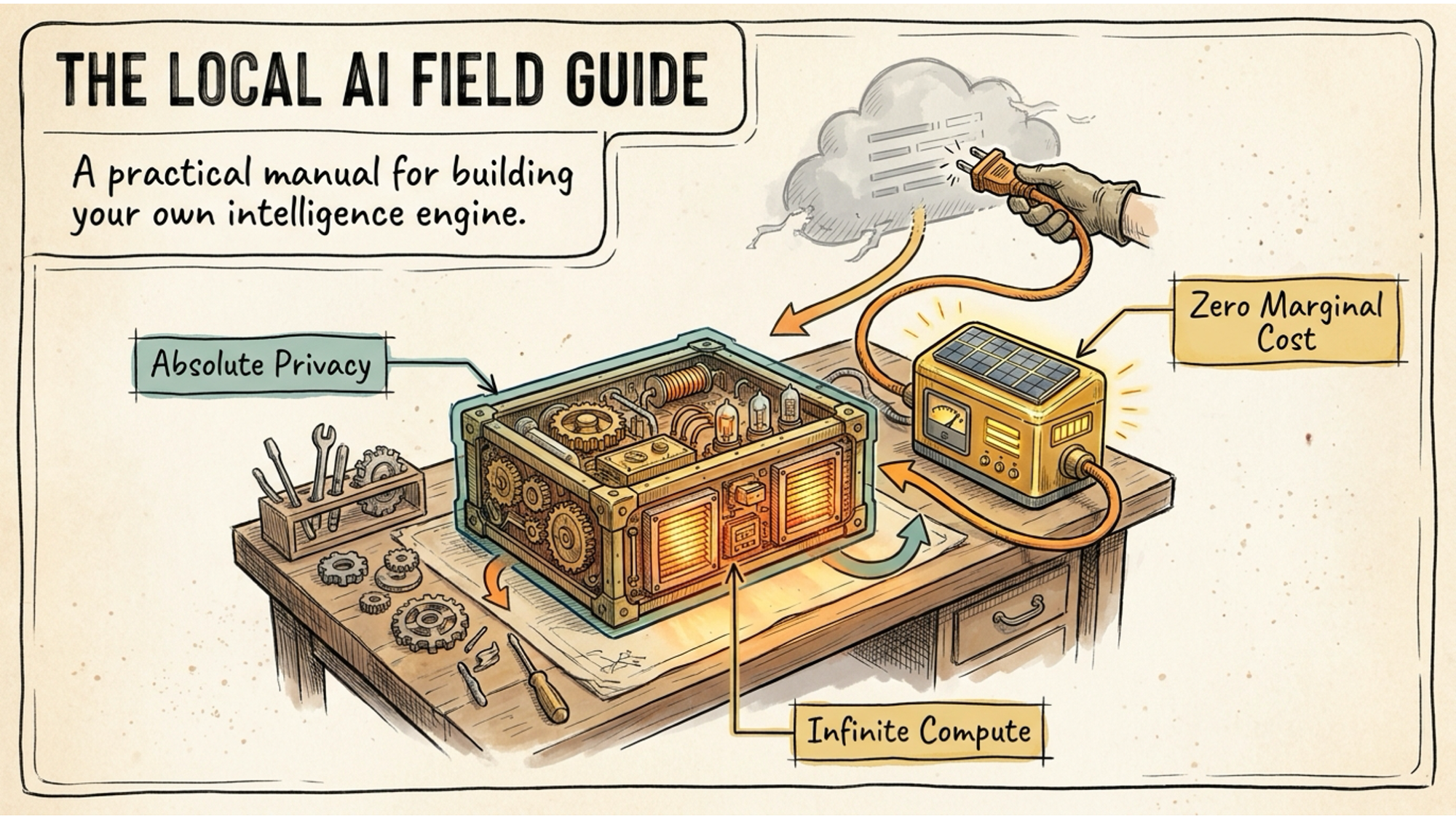
The US government shut down Claude Fable 5 recently. No warning. No migration window. One day it was there, the next it wasn’t.
If you had workflows built around it, too bad. If you had clients depending on it, figure it out. The model was always someone else’s property running on someone else’s servers, and that someone else made a decision that had nothing to do with you.
I’ve been saying this for a while, and events keep proving the point: renting your intelligence is fragile. This post is about what to do instead.
The rented brain problem
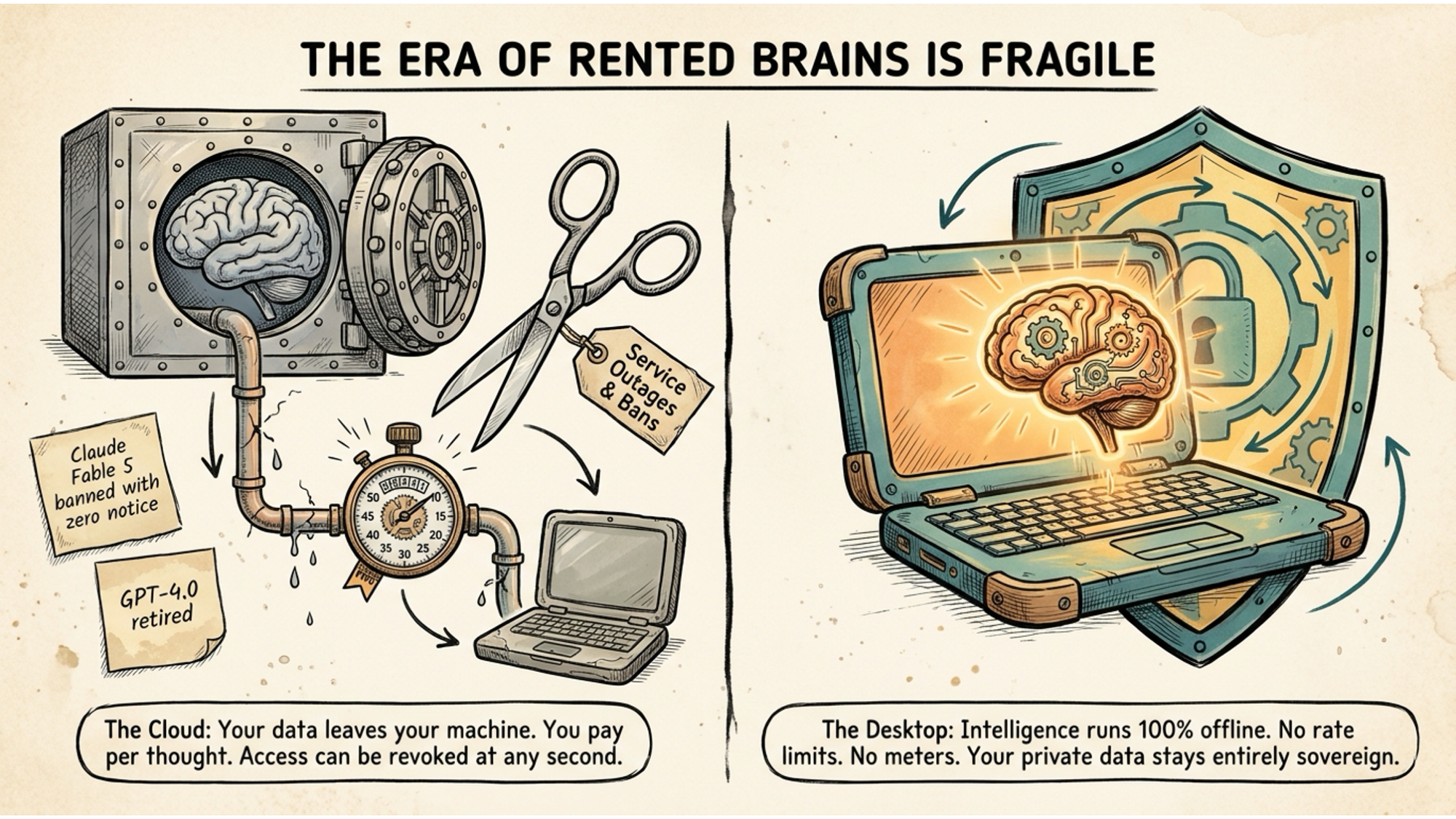
Every time you send a prompt to ChatGPT, Claude, or Gemini, your data leaves your machine. You pay per token. And the access can be revoked at any second, with zero notice, for any reason the provider decides is sufficient.
GPT-4o got retired. Claude Fable 5 got banned. These aren’t edge cases. They are the normal operating behaviour of centralised AI providers. The product you depend on is never truly yours. You are a subscriber, not an owner, and those are very different things when the rug gets pulled.
The cloud alternative has real advantages. I’m not pretending it doesn’t. Frontier models are genuinely more capable for complex reasoning right now, probably six to twelve months ahead of what you can run locally. There are tasks where paying for that edge makes sense.
But for everything else, which is the vast majority of daily AI use, there is a better option. It costs you almost nothing to run and nobody can take it away.
What local AI actually means
Local AI means running a model directly on your own computer. Not a scaled-down toy version. A genuinely capable model that handles summarisation, drafting, research, coding, analysis, and most of what you use cloud AI for every day, running entirely offline on hardware you own.
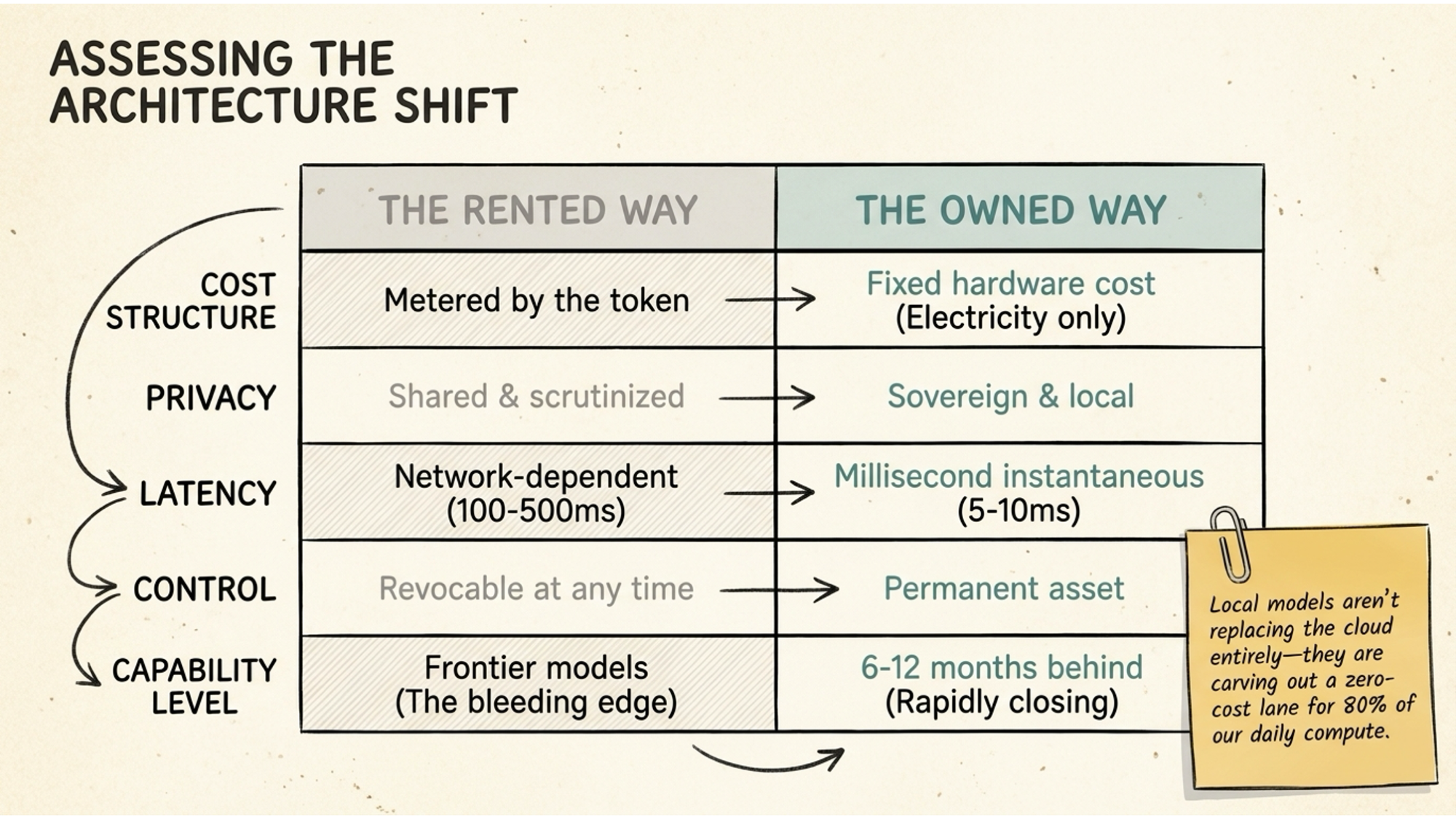
The comparison is worth being concrete about. Cloud AI is metered by the token, your privacy is shared with the provider’s servers, latency runs at 100 to 500 milliseconds, and access is revocable whenever the provider decides to pull it.
Local AI has a fixed hardware cost. After that, you mainly pay for electricity. Your data never leaves your machine, latency drops to 5 to 10 milliseconds, and the model is a permanent asset sitting on your drive.
The capability gap is real but closing fast. For 80% of daily tasks, a good local model is already indistinguishable from the cloud in practical terms.
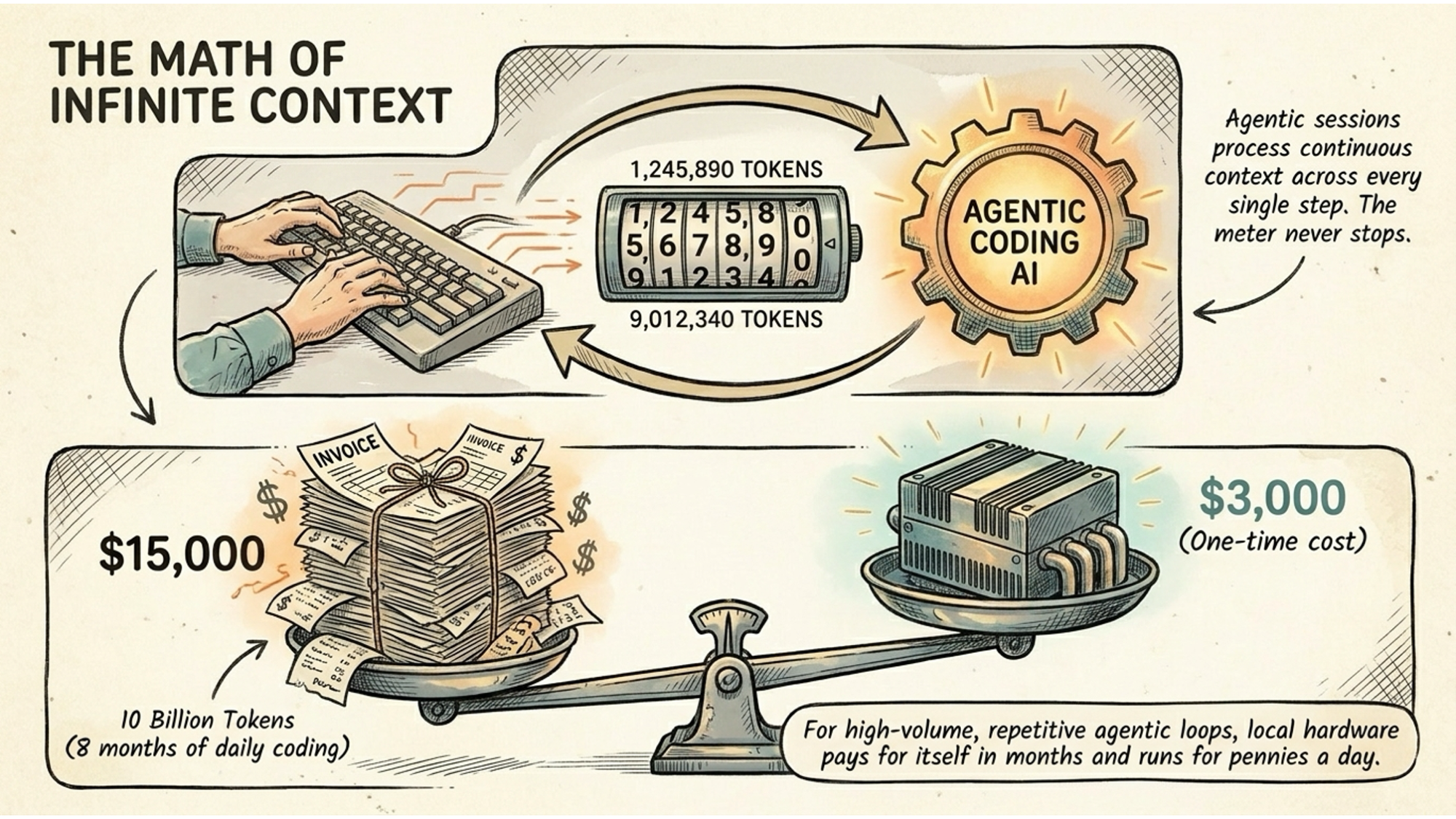
How they squeezed data-centre AI onto a laptop
Three years ago, running a meaningful AI model on consumer hardware was impossible. The models were simply too large. A few engineering breakthroughs changed that, and it’s worth understanding them because they explain why the hardware you already own might be enough.
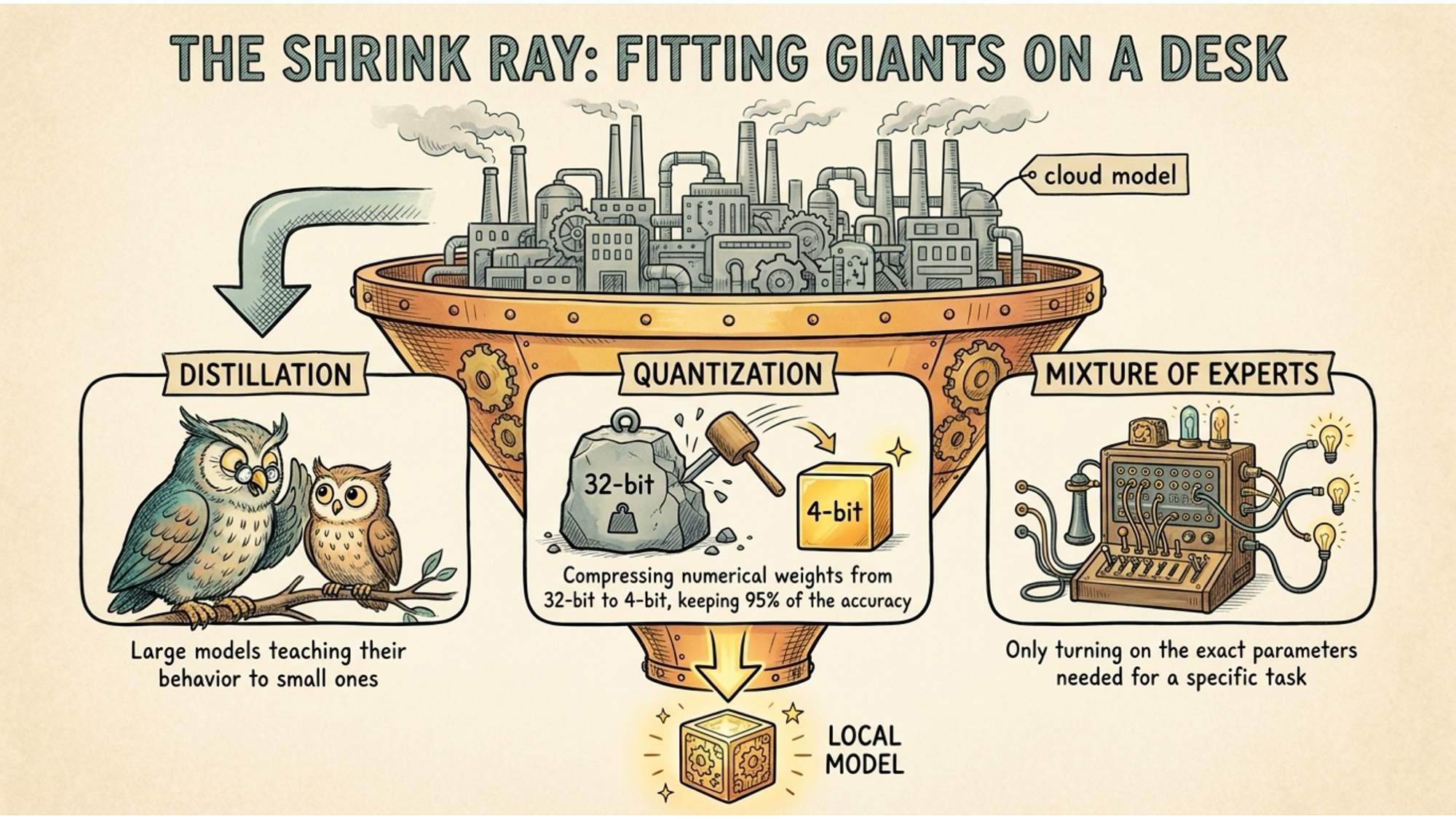
Quantisation is the most important one. AI models store their intelligence as numerical weights. By reducing the precision of those numbers, from 32-bit floats down to 4-bit, engineers can shrink the memory footprint of a model by four to eight times while retaining around 95% of its original accuracy.
Think of it like compressing a raw video file into a format that fits on your phone. Most of the quality survives. The size becomes manageable.
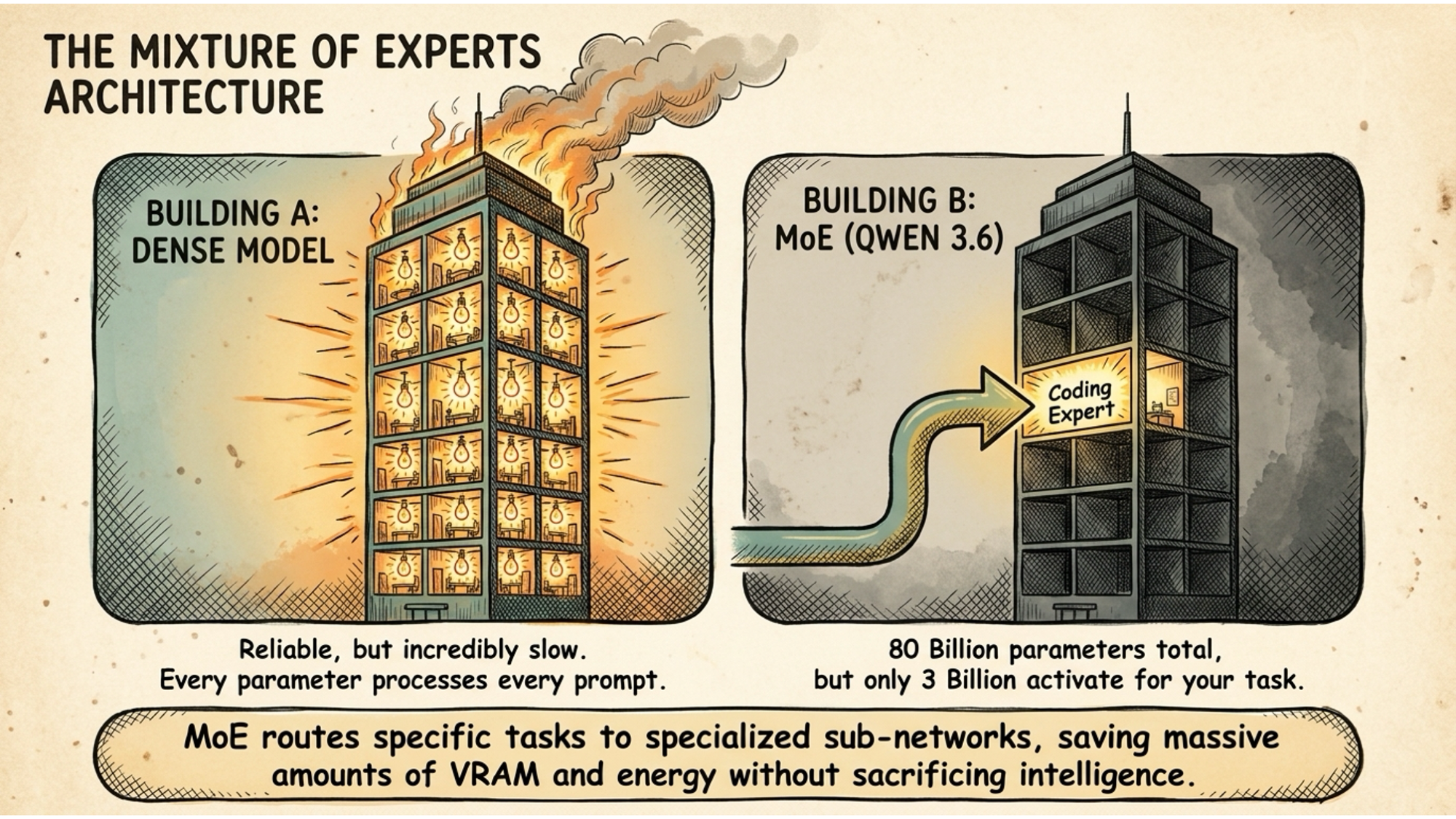
Mixture of Experts takes a different approach. Instead of activating every parameter in the model for every single prompt, a MoE model routes each task to a specialised subset of parameters. A model might contain 80 billion parameters in total but only activate 3 billion to answer your specific question. The rest sit idle.
Distillation is where researchers take the outputs and reasoning patterns of a massive frontier model and use them to train a much smaller model to behave in the same way. The smaller model learns to mimic the larger one. The result is something that punches considerably above its size.
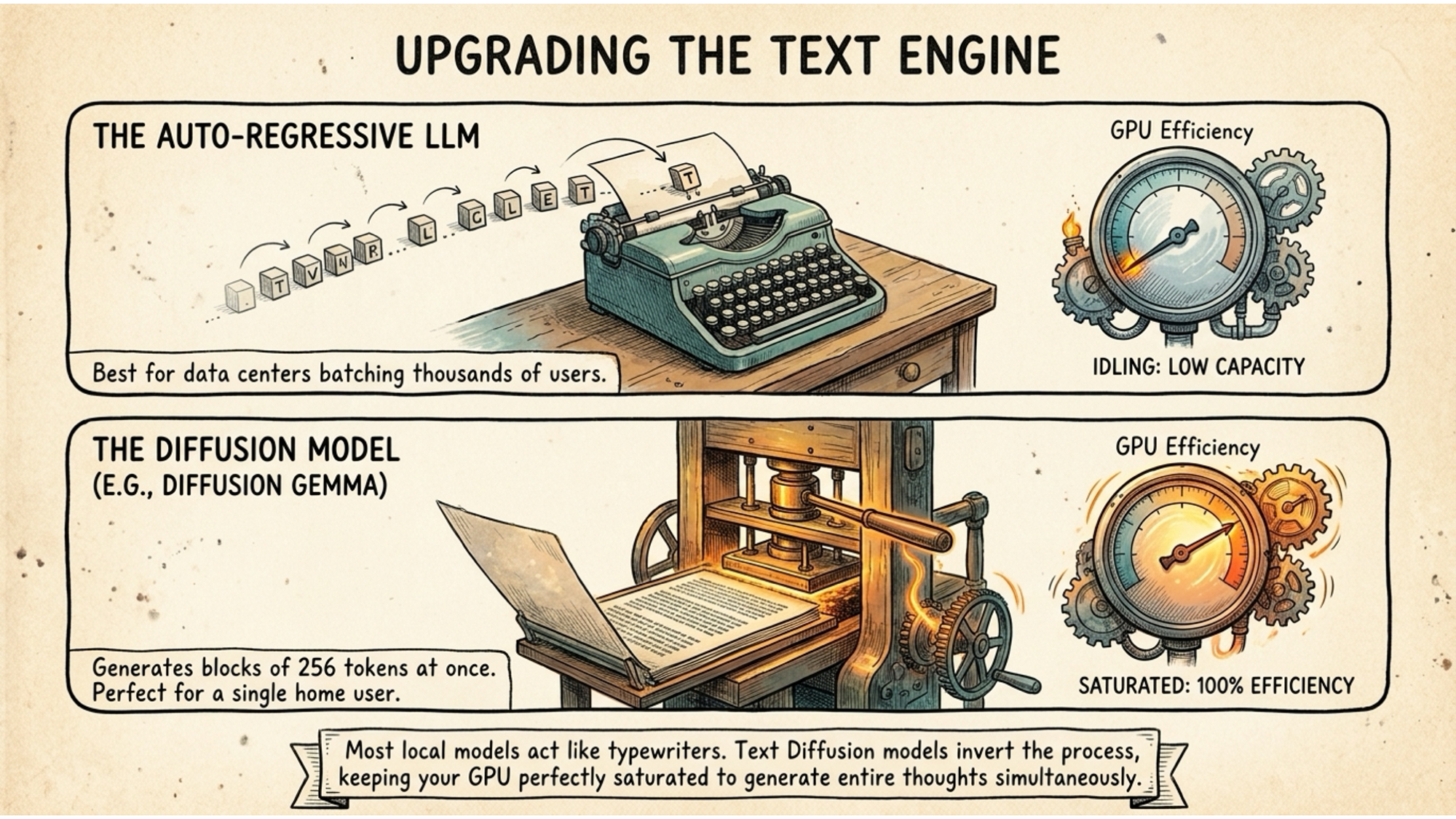
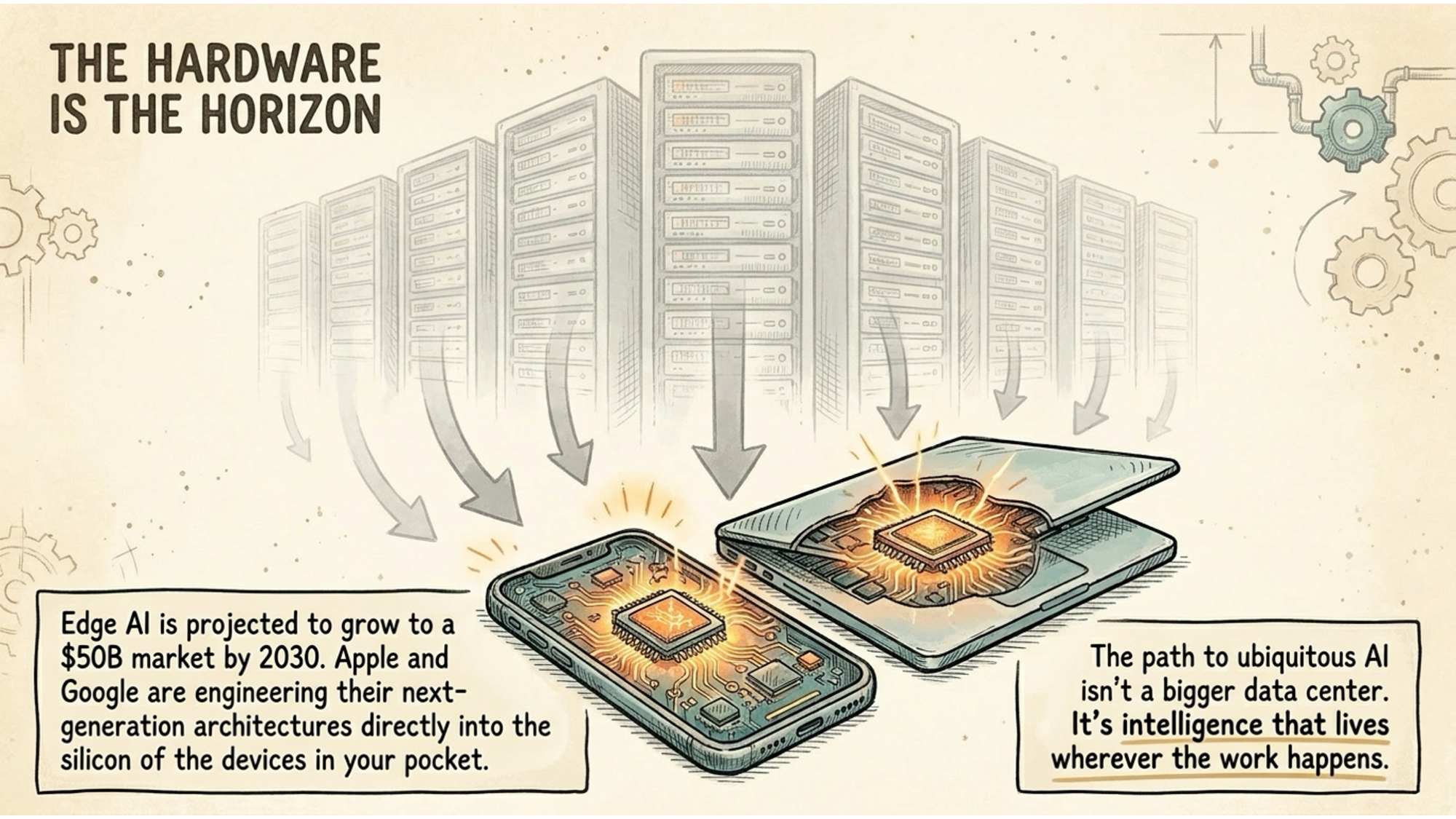
These techniques together are why you can now run a model that would have required a data centre in 2022 on a machine sitting on your desk in 2026.
What hardware you actually need
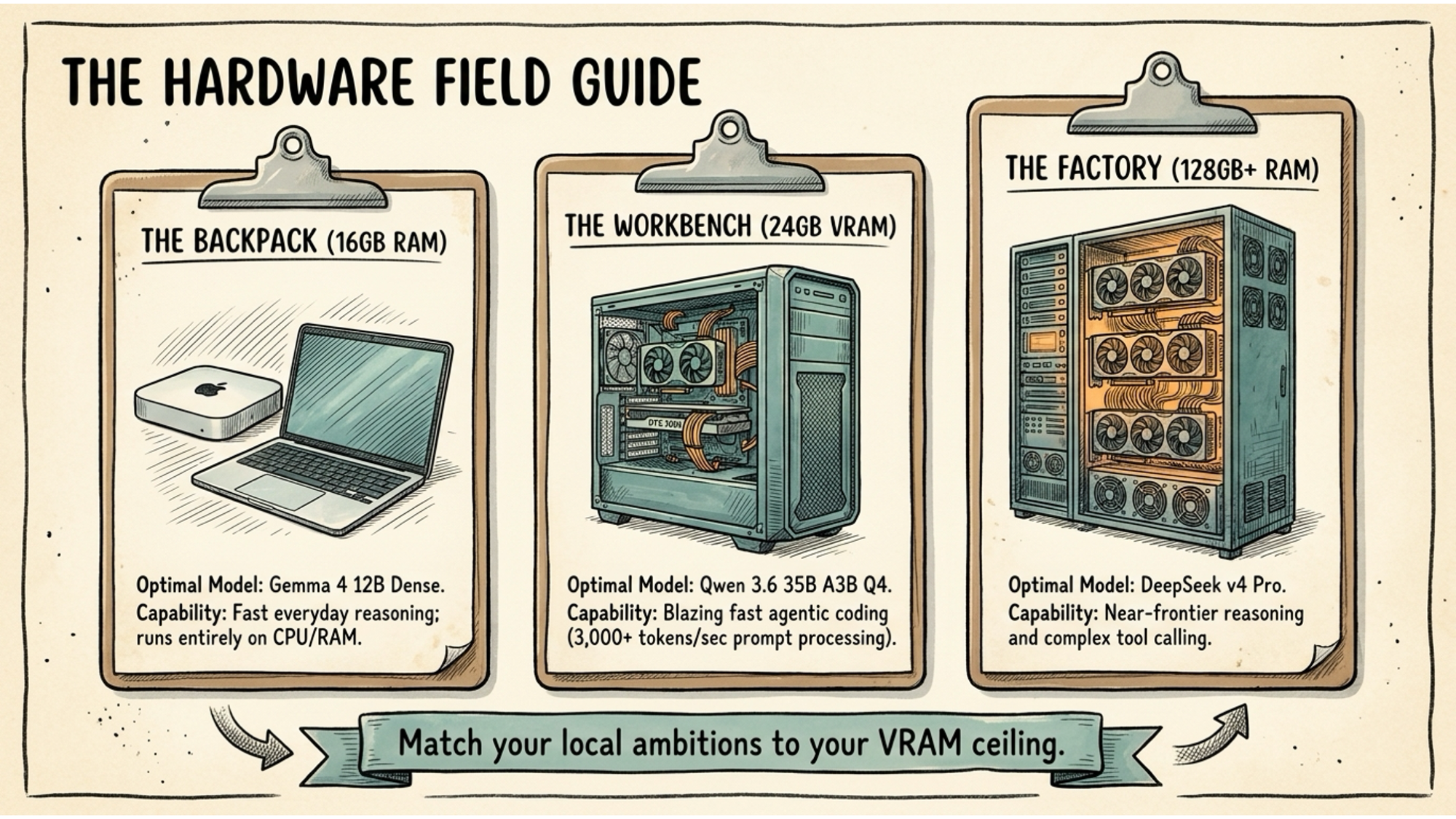
Your single most important variable is memory. Specifically, you need your chosen model to fit entirely inside your Video RAM on a dedicated GPU, or your system RAM on Apple Silicon, which shares memory between CPU and GPU. The moment a model spills over and starts using the main system bus for overflow, performance falls off a cliff.
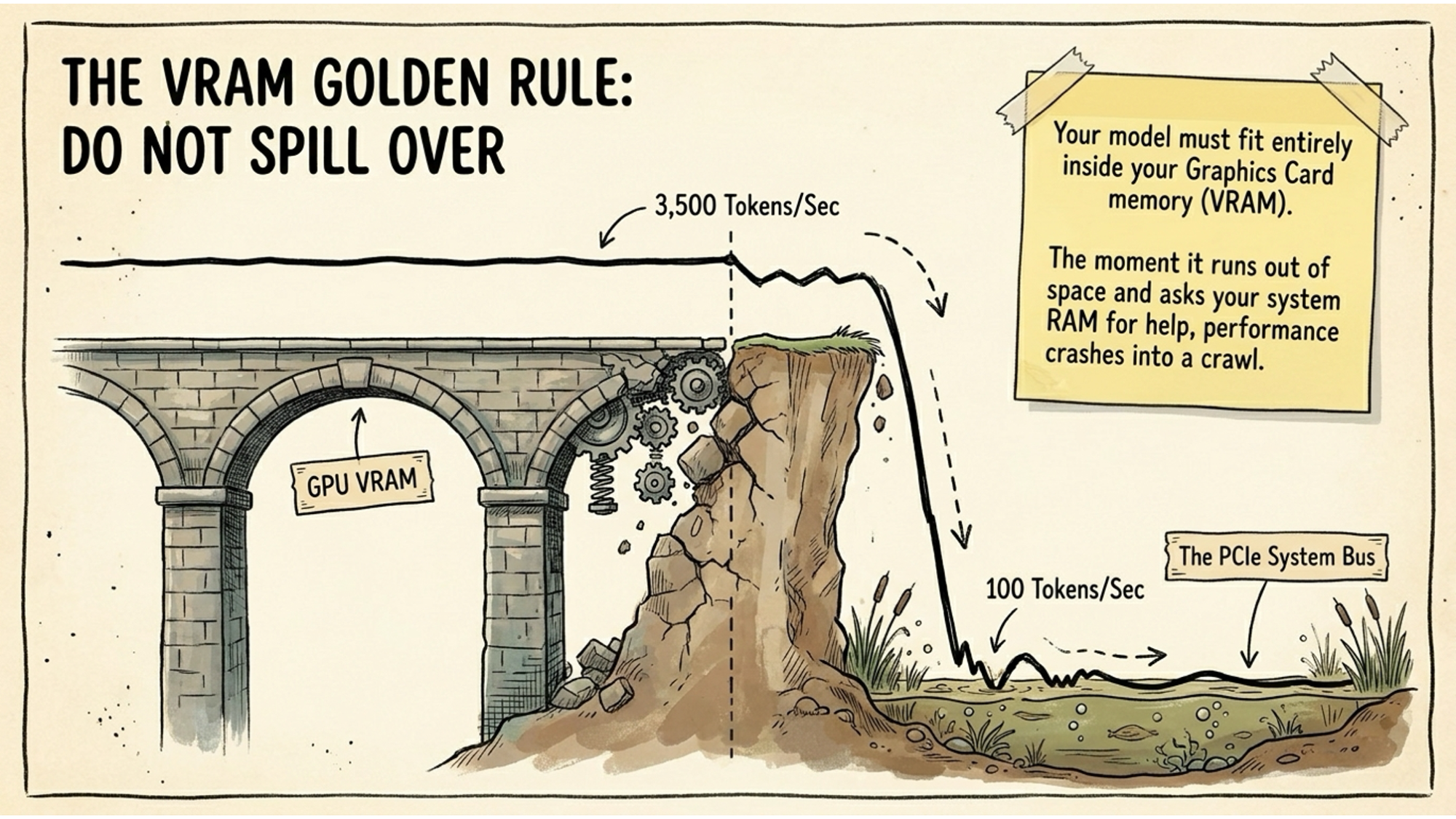
Here are realistic options at different price points.
Apple Silicon: Mac mini, MacBook Pro, Mac Studio
Apple’s unified memory architecture is genuinely excellent for local AI. The CPU and GPU share the same memory pool, which means a Mac mini M4 with 16GB can run a capable 12 billion parameter model without any VRAM bottleneck. A Mac mini M4 Pro with 24GB opens up larger models. The Mac Studio M4 Max with 64GB or 128GB lets you run serious frontier-adjacent models locally.
The Mac mini M4 starts at around £599. For what it can do as a local AI box running 24 hours a day at low power draw, it is remarkable value. I have one in my office and it handles the majority of my daily AI work without me touching a cloud provider.
Lenovo ThinkStation and ThinkPad
For Windows users who want dedicated GPU muscle, Lenovo’s ThinkStation P-series desktops are workhorses. The ThinkStation P3 Ultra supports NVIDIA RTX cards with up to 24GB VRAM, which is the sweet spot for running models like Qwen 3.6 at useful speed. For laptops, the ThinkPad P1 Gen 7 with an RTX 4090 mobile GPU gives you 16GB VRAM in something you can carry.
Not cheap, but if your work demands it, the cost comparison against months of cloud API bills starts to look different quickly.
HPE ProLiant for small businesses and agencies
If you are running an agency or small team and want a shared local AI server, HPE’s ProLiant ML110 tower is a practical option. Put an NVIDIA RTX 4090 in it and you have a 24GB VRAM machine running as a local inference server that multiple team members can connect to.
Your data stays on premises. Your API bill disappears. Setup is more involved than a consumer Mac, but the economics for a team of five or more make it worth considering.
The general principle across all hardware: match your ambition to your memory ceiling. A 16GB system runs excellent everyday models. 24GB VRAM opens up the faster, more capable options. 64GB and above puts you into near-frontier territory with full privacy.
The two tools you need
You do not need to write a single line of code to run local AI. Two applications do the heavy lifting.
Ollama
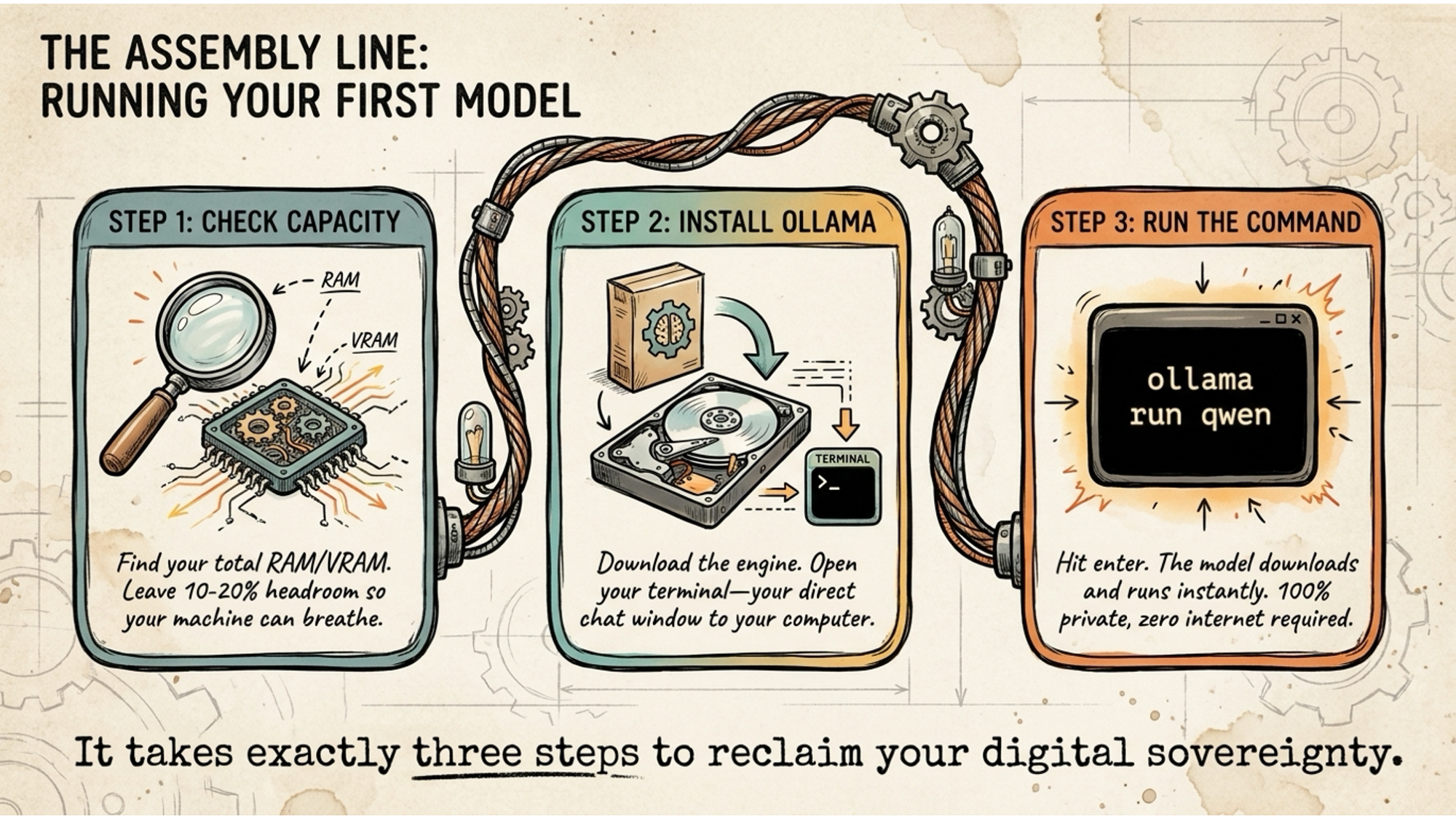
Ollama is a command-line tool that handles model download, management, and serving. You install it, open your terminal, type ollama run qwen3.6 or ollama run gemma4, and the model downloads and starts running. That’s it. From that point on, you have a local AI model responding to your prompts with zero internet required.
It runs as a server on your machine, which means you can connect other applications to it. If you already use tools that support local model connections, Ollama is the backend they’re talking to.
LM Studio
LM Studio is the more beginner-friendly option. It’s a graphical application with a proper interface, so you don’t need to be comfortable with a terminal to use it. You browse available models, download them with a click, and chat with them in a clean chat window that feels similar to ChatGPT.
LM Studio also lets you expose your local model as an API, which means you can point other tools at it as if it were a cloud provider. It’s a good starting point if the terminal feels unfamiliar.
Which models to run
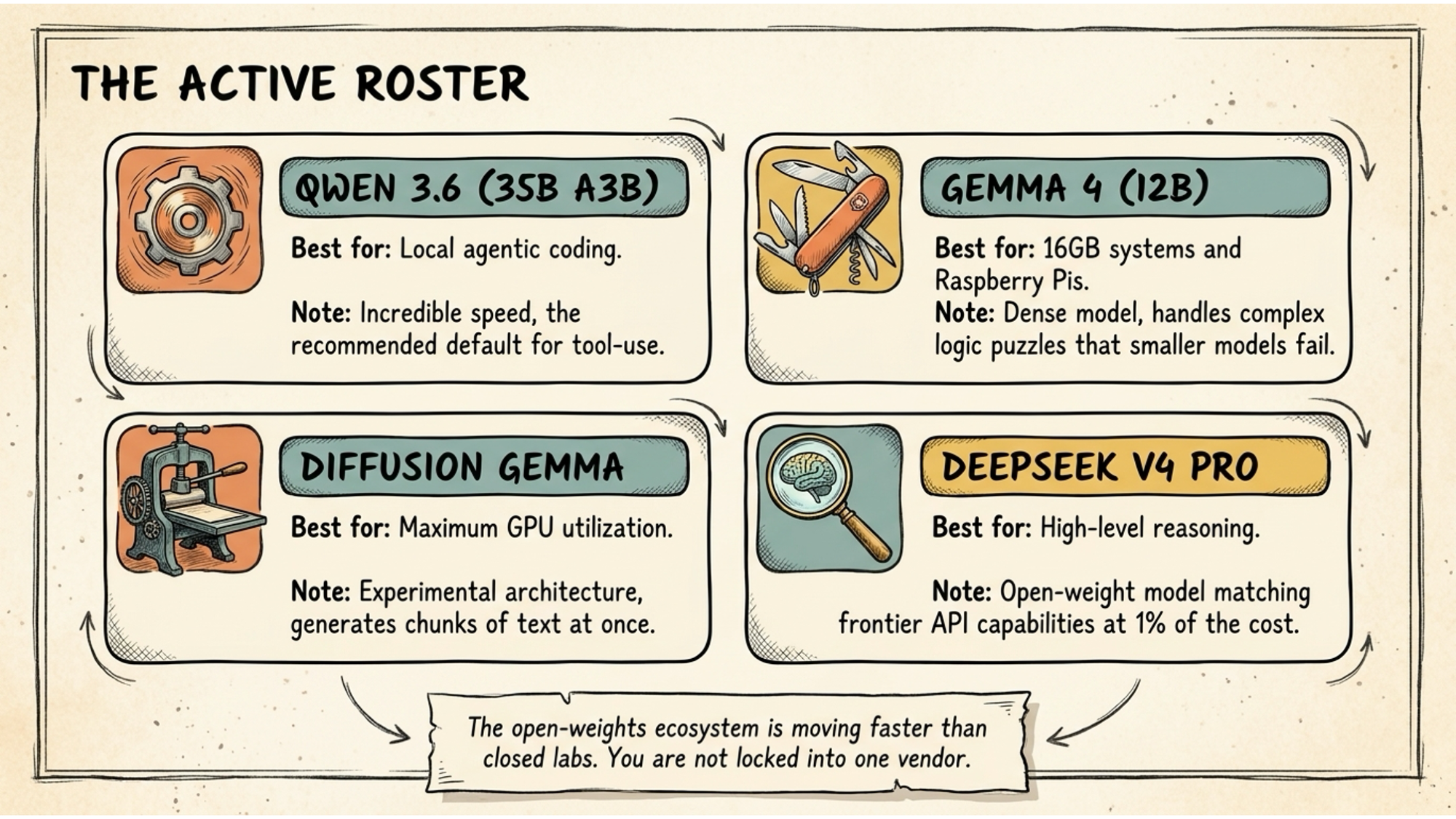
The model landscape changes quickly, but as of mid-2026 these are the ones worth knowing about.
Qwen 3.6 (35B A3B) is the recommended default for anything involving tool use, coding, or agentic tasks. It runs on the MoE architecture, which means those 35 billion parameters only activate 3.6 billion at a time. Speed is exceptional. This is the one I’d point most people toward first if their hardware can handle it.
Gemma 4 (12B) is the all-rounder for 16GB machines. Dense model, no MoE tricks, just solid capability across general reasoning. It handles logic puzzles that smaller models stumble on. If you have a Mac mini M4 with 16GB or a Windows machine with 16GB system RAM and no dedicated GPU, start here.
DeepSeek V4 Pro is the one to know about if you have 128GB or more. It’s an open-weights model that matches frontier API capability for complex reasoning tasks at a fraction of the cost. For agencies or teams running a shared inference server, this is the model that changes the economics most dramatically.
The hybrid approach
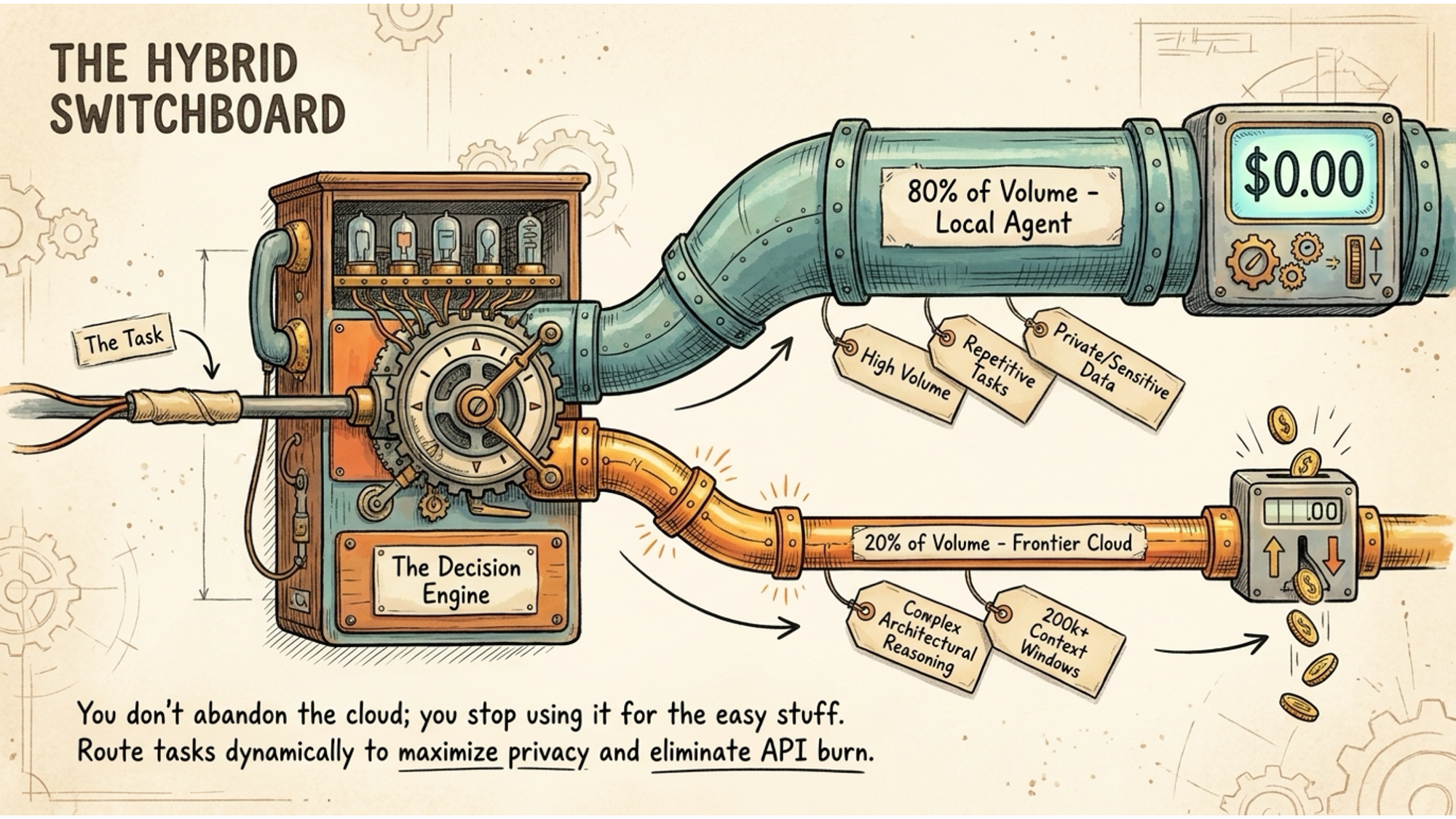
Local models are currently six to twelve months behind frontier cloud models on the most complex reasoning tasks. That gap matters for some things and not at all for others.
The practical answer is a hybrid approach. Run local models for the 80% of daily work that is repetitive, high-volume, or involves sensitive data. Route the remaining 20%, the tasks that genuinely need the best reasoning available, to a cloud provider when required.
This isn’t a compromise. It’s the architecture that makes financial sense and gives you privacy where it matters most. Your daily summarising, drafting, research, and analysis run locally for free. The occasional complex architectural decision or multi-step reasoning task goes to a cloud frontier model.
The token bills disappear for most of your work. The data you care about never leaves your machine. And when the next cloud model gets shut down with zero notice, your daily workflow doesn’t skip a beat.
Three steps to get started this week
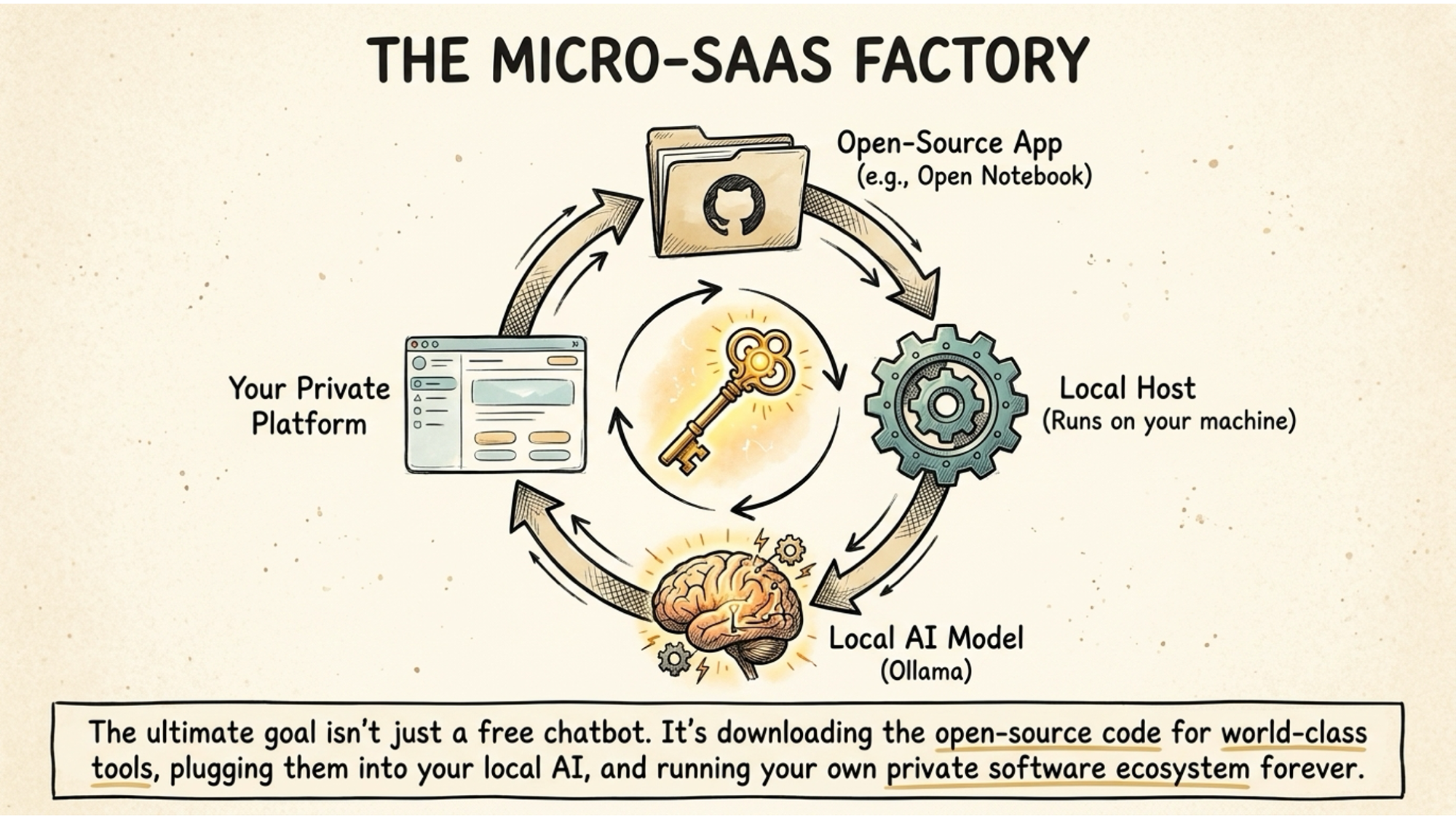
The barrier is lower than you think. Here is the practical sequence.
First, check your memory. On a Mac, go to Apple menu, About This Mac, and look at Memory. On Windows, open Task Manager, click Performance, then Memory. Note the total. That number tells you which models you can run without hitting the VRAM bottleneck.
Second, install Ollama or LM Studio. Both are free. Ollama from ollama.com, LM Studio from lmstudio.ai. If you’re comfortable with a terminal, Ollama is faster to work with. If you want a graphical interface, LM Studio gets you going without any command-line knowledge.
Third, download a model and talk to it. If you have 16GB, start with Gemma 4. If you have 24GB VRAM available, Qwen 3.6 is where to go. Run it, ask it something real you’d normally ask a cloud AI, and see what comes back.
It will feel different to ChatGPT. The responses come back differently, the interface is more basic, and it won’t have web access out of the box. But it will be yours. Running on your hardware. Not metered by the token. Not revocable. Not dependent on a corporate decision made in California or Washington DC.
That’s the point. The tools exist now. The hardware is affordable. The capability is there for most of what people use cloud AI for every day.
The question is whether you want to keep paying for access that can disappear overnight, or whether you want to own the intelligence instead.