Insight / signal
The edit button is where AI stops being a demo
Map what an agent may read, draft, recommend and change before giving it write access.
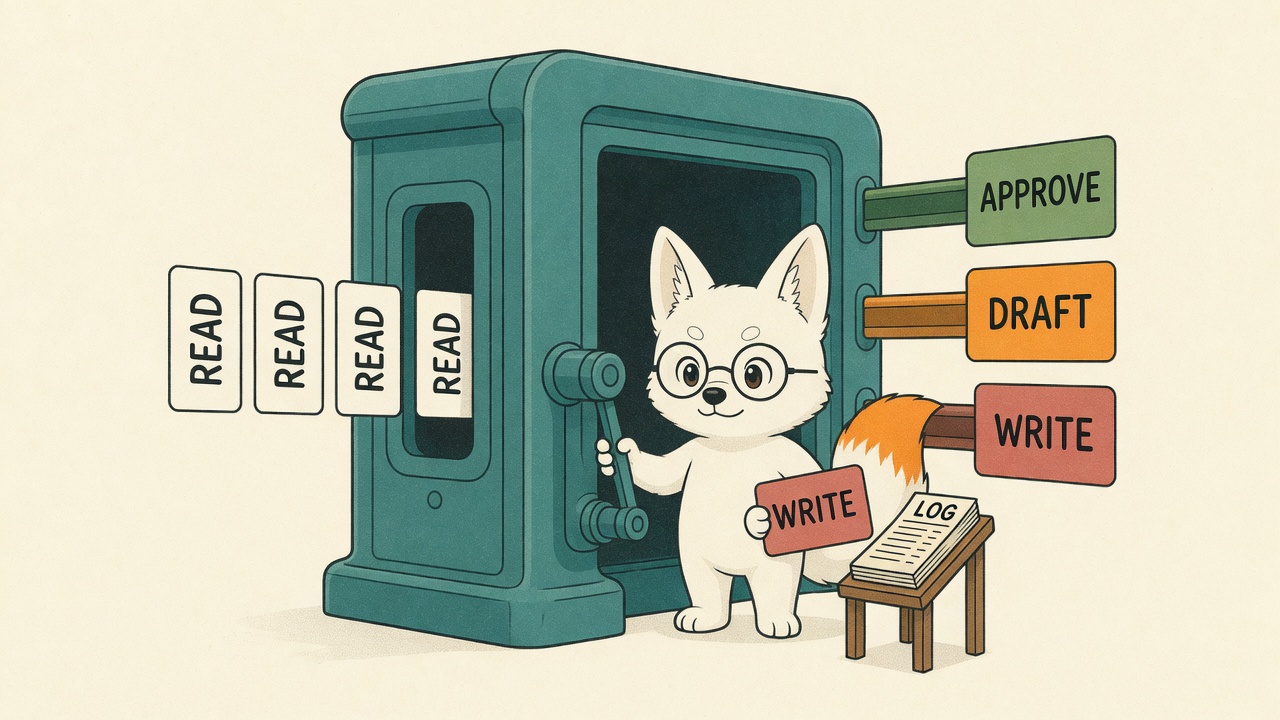
The AI story has moved on from “can it answer the question?”
A lot of the time, yes. It can answer the question. It can summarise the call, draft the report, clean the spreadsheet, produce the first campaign brief, check the CRM, rewrite the landing page, compare the suppliers and turn a mess of notes into something vaguely usable.
Fine.
The more useful question now is: what is it allowed to change?
That is where most business owners should slow down. Not because AI is useless. The opposite. It is becoming useful enough to be dangerous in normal, boring, operational ways.
OpenAI is pushing work agents deeper into business tools. ChatGPT Work is being sold as an agent that can act across apps and files, stay with a project for hours, create docs, sheets and slides, and run scheduled tasks. Workspace-agent runs now have token-based pricing in OpenAI’s Business and Enterprise release notes, which is a small but telling detail. Once a thing has usage pricing, admin controls and compliance coverage, it is not a toy feature any more. It is becoming a line item.
Anthropic is doing the same thing from the small-business side. Claude for Small Business plugs into QuickBooks, PayPal, HubSpot, Canva, Docusign, Google Workspace and Microsoft 365. It can help plan payroll, chase invoices, close the month, run a campaign and queue actions for approval. Google is talking about data agents as systems of action over enterprise data, with grounding and governance built into the pitch.
Strip out the vendor theatre and the pattern is obvious: AI is moving from read to write.
Read-only AI is fairly easy to understand. It can look at things. It can search your files, answer questions, summarise a thread, pull patterns from sales notes, or tell you which pages are losing visibility. It might be wrong, but the damage is mostly contained. You still decide what to do.
Draft-mode AI is a bit more serious. It prepares the email, the invoice reminder, the follow-up sequence, the campaign assets, the support reply or the spreadsheet. Still manageable, if a human reviews it before anything leaves the building.
Write-enabled AI is different.
That is the agent that updates the CRM. Sends the email. Changes the deck. Edits the page. Files the ticket. Creates the ad variant. Posts the asset. Moves the opportunity stage. Books the meeting. Chases the invoice. Changes the spreadsheet your finance team actually uses.
That agent is no longer just helping. It is operating.
And if it is operating, it needs operating rules.
This is where the current AI conversation gets weirdly unserious. People will spend hours comparing models and prompts, then casually connect an agent to Slack, Google Drive, HubSpot, Stripe, Shopify, WordPress or QuickBooks with no clear answer to five basic questions:
- What can it read?
- What can it draft?
- What can it change?
- What needs approval?
- Who owns the result when it goes wrong?
Those questions are not bureaucracy. They are the difference between useful automation and a quiet little operational incident.
A recent Marketing School episode cited an engineering survey claiming that, among teams using agents, write permissions had jumped from roughly 52% to 89% year on year. I would want the primary survey before publishing that number as gospel, but the direction feels right. The whole market is pushing agents towards action because action is where the value is.
Nobody pays much for a bot that says, “Here is a possible invoice reminder.”
They might pay for a system that spots overdue invoices, checks customer status, drafts the right message, queues it for approval, sends it, logs the outcome and tells the owner what changed.
That is a proper business loop.
But the loop only works if the permission design is real.
The lazy version is: “Give the agent access and see what happens.”
Do not do that. That is not innovation. That is letting a very confident intern wander round the building with everyone’s passwords.
The better version is a permission map.
Not a 90-page governance document. Just a clear operating sheet for each agent or workflow:
- Job: what this agent exists to do.
- Sources: which systems it can read.
- Draft lane: what it can prepare but not send.
- Write lane: what it can change without approval, if anything.
- Approval lane: what must be checked by a named human.
- Blocked lane: what it must never touch.
- Log: where every action and source gets recorded.
- Cost cap: how much time, tokens or spend it can burn.
- Rollback: how to undo a bad change.
- Owner: the person accountable for the workflow.
That is the unsexy work. It is also the part most businesses are missing.
The temptation is to treat agents like clever software features. Turn them on. Connect the tools. Watch the demo. Tell the team you are now AI-enabled.
But a write-enabled agent is closer to a junior operator than a feature. You would not hire someone, give them access to customer comms, finance tools and the CMS on day one, then say, “Use your judgement.” You would give them a job, a manager, a checklist, permissions, review points and a way to escalate.
Agents need the same thing. Probably more, because they do not feel embarrassment, fatigue or the social pressure of someone looking across the office and saying, “Why the hell did you send that?”
This is the bit I think agencies and consultants should be selling now. Not “we build AI employees”, because that phrase makes my skin itch. Not “we can automate your whole business”, because that usually means nobody has mapped the business properly.
Sell the operating layer.
Map the recurring work. Define the read/draft/write boundaries. Build the approval points. Create the evidence trail. Put a cost cap on it. Show the before and after. Then, once it is boring, widen the permission set by one notch.
That is how businesses should adopt agents.
Slow enough that you can see what changed. Fast enough that the system actually earns its keep.
The edit button is the line.
Before that line, AI is mostly assistance. After that line, it is part of operations. Treat it that way.